
Technology + Teaching… The Best Combo?!?
Written by: Abigail Carter
Certainly everyone can name some great combos: peanut butter and jelly, chips and salsa, bacon and eggs, french fries….and honey? Ok, that is my favorite combo! But, what about a great school combination? Let’s look at teaching and technology!
 Technology can spark curiosity and creativity in young learners like nothing else! If you’re looking to add some fresh tech tools to your elementary classroom, here are five fantastic picks that engage students while supporting key academic and social skills. These tools can be streamlined in classrooms ranging from Kindergarten-5th grade!
1. Booksource Classroom — Streamlined Book Management
Booksource Classroom helps teachers organize, track, and manage classroom libraries with ease. It allows you to catalog books, check them in and out digitally, and monitor which books students are reading. This tool saves time and helps foster a love of reading by keeping your classroom library organized and accessible. My 3rd grade students love it because they get to use my special book scanner to check out their books from my classroom library. I can see exactly who has what book, as well as how long they have had it. Another great feature? Booksource classifies your library in a variety of ways: how diverse it is, reading level, character types, and more! For example, it was fascinating to me that when I originally started scanning my books that most of mi

Why try it? Simplifies library management and encourages student reading habits.
2. Book Creator — Interactive Digital Books
Book Creator lets students create their own digital books by combining text, images, audio, and video. It’s an excellent tool for storytelling, research projects, and sharing knowledge. With its simple drag-and-drop interface, even young learners can produce polished, multimedia-rich books that showcase their learning and creativity. My favorite feature is that teachers can easily print a QR code for families that allows them to read their child’s hard work at the touch of a button! I create a simple flyer on Canva, attach the QR code, and send it home!
Why try it? Encourages literacy, creativity, and multimedia skills all in one platform.
3. Bloxels EDU — Build Your Own Video Games
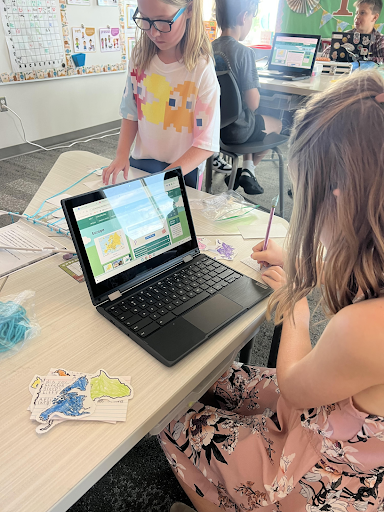
Bloxels lets students design and build their own video games by creating pixel art and setting game rules using an intuitive drag-and-drop platform. It’s a fun way to introduce coding, storytelling, and problem-solving without requiring prior programming skills. Students love seeing their ideas come to life interactively!

Why try it? Fosters computational thinking and creativity through play.
4. Padlet — Collaborative Digital Boards
Padlet lets students post text, images, drawings, videos, and links on a shared digital board. It’s super easy to use and encourages collaboration, brainstorming, and sharing ideas in real time. Teachers can create themed boards for projects, reflections, or class discussions. Plus, it supports different learning styles with multimedia options.

Why try it? Promotes collaboration and creativity through a simple, engaging platform.
5. Adobe Image Generator — Creative Visual Content
Adobe Image Generator allows students and teachers to create stunning visuals quickly and easily with AI-powered image creation. It’s perfect for adding eye-catching graphics to presentations, stories, or projects without needing advanced art skills. This tool sparks creativity and helps bring ideas to life visually. My students also enjoy taking it a step further and animating a character using a story we have read together in class!

Why try it? Empowers students to produce professional-looking visuals effortlessly.
Adding these tools can transform your classroom into an inspiring tech-rich environment where students read, create, code, collaborate, and visualize their learning. Ready to explore one? Your students will love the fresh ways to engage with content!
Resources
Please login or register to claim PGPs.
Alternatively, you may use the PGP Request Form if you prefer to not register an account.